


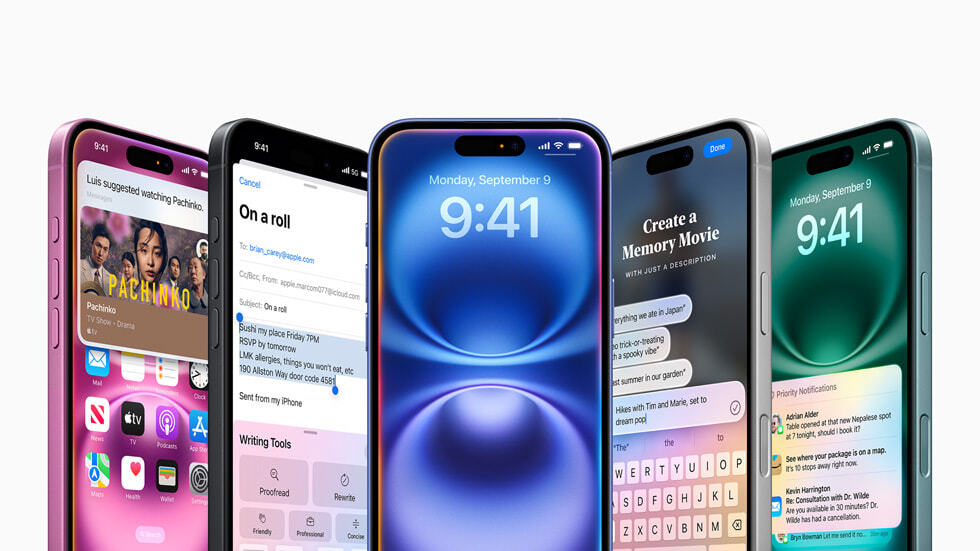
Apple Intelligence is poised for primetime: Apple has released a public beta of iOS 18.1, which includes some of the key generative AI features the company has been touting in recent months.
We’ll have to wait a few more weeks for the public versions of iOS 18.1, iPadOS 18.1, and macOS Sequoia 18.1 to be released, bringing the Apple Intelligence features to everyone with a compatible device. While public betas should be more stable and less risky to install than developer betas, it’s still definitely worth backing up your data to your computer or iCloud before installing this build of iOS 18.1 on your iPhone.
Currently, the only iPhones that support Apple Intelligence are the iPhone 15 Pro and iPhone 15 Pro Max, but that will change on Friday when Apple ships the iPhone 16 series. M-series iPads and Macs will also support Apple Intelligence.
For now, you’ll need to set your device and Siri language to US English to access the Apple Intelligence tool. If you want to use Apple Intelligence in a language other than English (or a localized version of English), you may need to wait until at least December for a public version of the operating system that supports it to be released.
Apple will be gradually rolling out Apple Intelligence tools over the coming months, so not all of them will be available right away. Initial features include the ability to transcribe phone calls (and voice memos in the Notes app) and summarize important details. Also coming are writing tools (rewrite, proofread, summarize), email prioritization and smart replies, notification summaries, and photo cleanup features. You’ll be able to create memories in the revamped Photos app and check out the first version of a shiny new redesigned Siri, including the ability to type requests into the assistant.
You’ll have to wait a bit longer for certain other features, like ChatGPT integration, Genmoji, Image Playground (i.e. image generation), and Siri’s ability to better understand your personal context, which Apple plans to roll out in the coming months.
How to Get New Apple Intelligence Features
On your iPhone, go to Settings > General > Software Update > Beta Updates and select the iOS 18 Public Beta option. When iOS 18.1 Public Beta is available for your device, you’ll see it on the Software Update page. You may need to free up space before installing the beta. To enable Apple Intelligence, go to Settings > Apple Intelligence & Siri > Join the Apple Intelligence Waitlist.
The installation process for the public beta is largely the same on iPad. On Mac, you need to go to System Preferences > General > Software Update. Click on the information symbol next to the “Beta Update” option, and you should be able to install the iOS 18.1 public beta from there once it’s available.
