


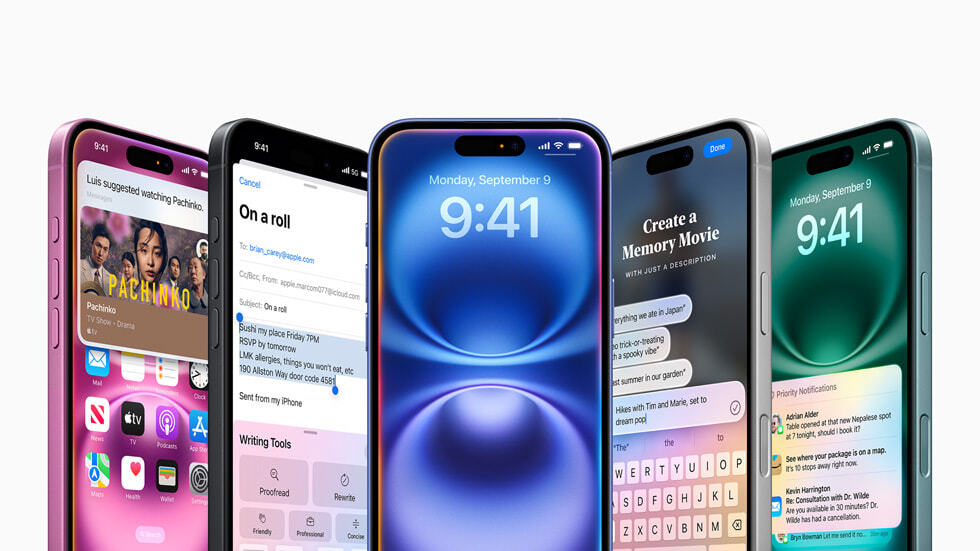
The wait is finally over. Apple Intelligence officially debuts today with the general release of iOS 18.1, iPadOS 18.1, and macOS Sequoia 15.1. Point 1 versions of Apple operating systems typically add minor features and fix bugs, but this year it’s a major update because Apple Intelligence features weren’t ready long enough for iOS 18 to roll out. The new iPhone 16 series has been in development for a long time, as this release was touted as “Built for Apple Intelligence,” but was released without features built for that purpose. The iPhone 15 Pro and Pro Max are the only previous generation iPhones that support Apple Intelligence, so iOS 18.1 may not seem like a huge update for those with older devices.
You’ll know that Apple Intelligence is available when you receive a notification from your company. Initial generative AI features you can check out include text summarization as well as writing tools like proofreading and rewriting.
The Notes app provides live transcription of calls and audio. Apple can conveniently generate summaries of these transcriptions. Additionally, with the revamped Photos app, Apple lets you reorganize your photos and videos around memorable events like trips and special events. You can also create your own memories within the app.
The Siri overhaul starts here. You can now type requests and questions into the previously voice-only Assistant. If you still want to talk to Siri, she should be able to understand your request even if you stutter or interrupt. The Siri UI has been tweaked to display a glowing border around the screen when launched. However, you’ll have to wait a little longer before other Siri-driven features become available, including the ability for the Assistant to better understand your personal context.
Apple Intelligence on iPhone
Apple Intelligence is currently available on the iPhone 15 Pro, iPhone 15 Pro Max, and iPhone 16 lineups. M-series iPads and Macs also support Apple Intelligence, as does the new A17 Pro-powered iPad mini.
Please note that access is currently limited to those who have their device and Siri language set to US English. Apple Intelligence will be available in more countries and languages in December. Apple doesn’t plan to make its AI tools widely available in the European Union or mainland China anytime soon due to regulatory issues, but as of September officials in both markets said they wanted to make Apple Intelligence available there. We are in discussions with
In addition to Apple Intelligence, iOS 18.1 adds support for other new features, including hearing tests and the ability to use AirPods Pro as a commercial hearing aid. It should also be easier to change the email address linked to your Apple account.
As for other promised Apple Intelligence features, you’ll have to wait a little longer. Last week, the company released developer beta versions of iOS 18.2, iPadOS 18.2, and macOS Sequoia 15.2. In addition to additional writing tools, the beta includes Genmoji (a custom emoji generator), Image Playground (animated and illustration-style image generation), Visual Intelligence like Google Lens, and ChatGPT integration.
Apple Intelligence available worldwide
For users who want to use Apple Intelligence in other countries and languages, Apple says it will add localized English support in Australia, Canada, Ireland, New Zealand, South Africa, and the United Kingdom in December. A larger update in April will also expand support for languages other than English. Newly supported languages include Chinese, English (India), English (Singapore), French, German, Italian, Japanese, Korean, Portuguese, Spanish, and Vietnamese. Apple also says that unspecified “other languages” will be added as well.
How to update iPhone to iOS 18.1
Open the Settings app and tap General.
Tap “Software Update”.
Your phone will be loaded with the latest software updates available. From there, you can tap Update Now or Update Tonight.
Enter your iPhone passcode to start the update.
Updated, October 28, 2024, 12:15 PM ET: This story has been updated with a note on how to update your iPhone to iOS 18.1.
